Quick Pay
Instantly make your payment using a variety of available facilities. such as bKash, MasterCard and other payment methods.



Pay Bill through Bkash Marchant Payment
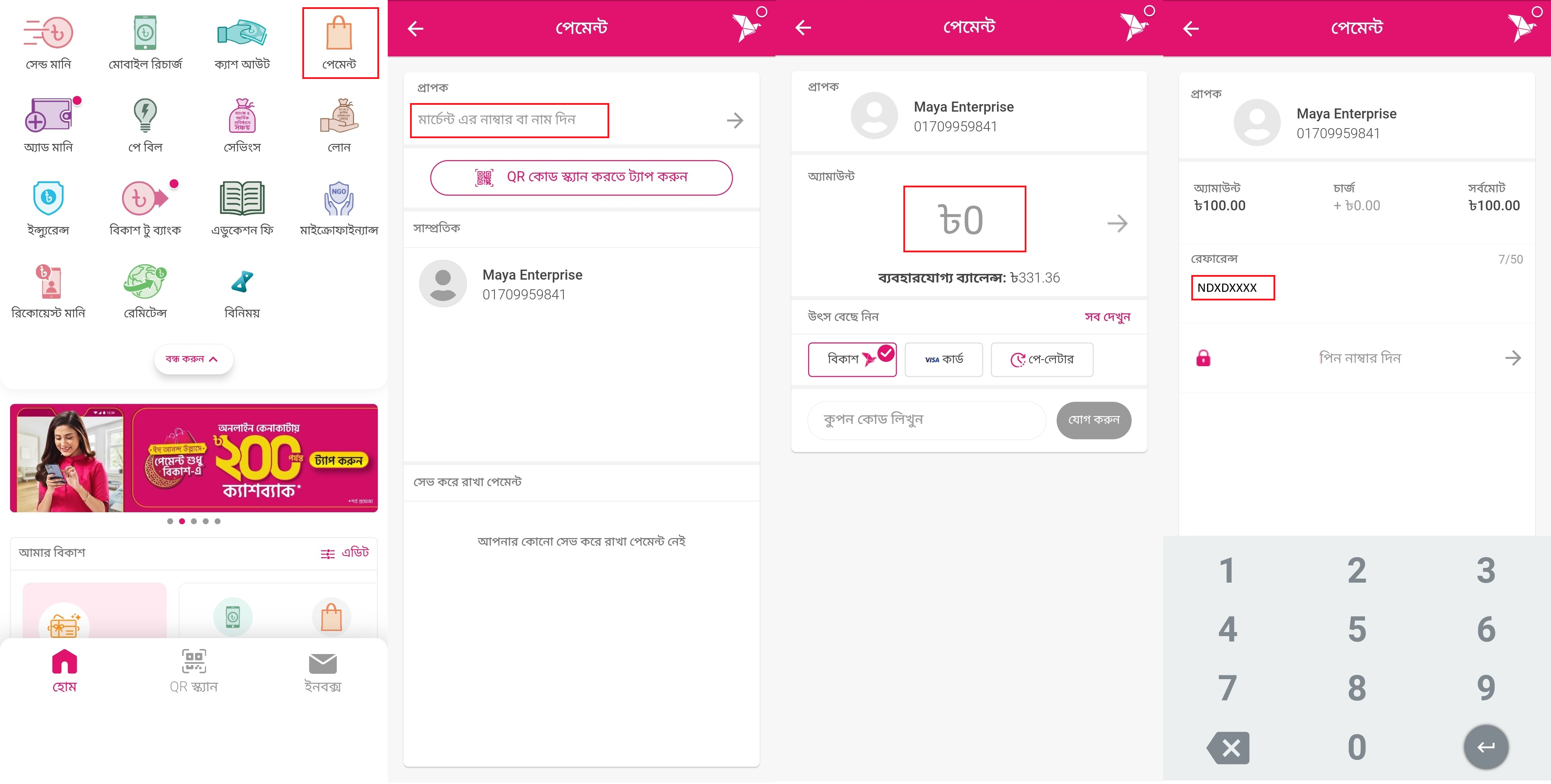
Login to your bKash account with your account's PIN number and tap on পেমেন্ট option.
In পেমেন্ট option you'll type number 01709959841and follow the next step.
Now type your billঅ্যামাঊন্ট box & input your customer in বিল একাউন্ট নম্বর দিন box and follow the next step.
(Optional) Check " ভবিষ্যৎ বিল পেমেন্টের জন্য একাউন্টটি সেভ করে রাখুন" to save account for faster future payments.
Tap" পে বিল করতে এগিয়ে যান " and long-press the Pay button for few seconds.
Maya Internet এর বিল পরিশোধ করুন Bkash Marchant Payment এর মাধ্যমে
Pay Bill through Bkash Apps
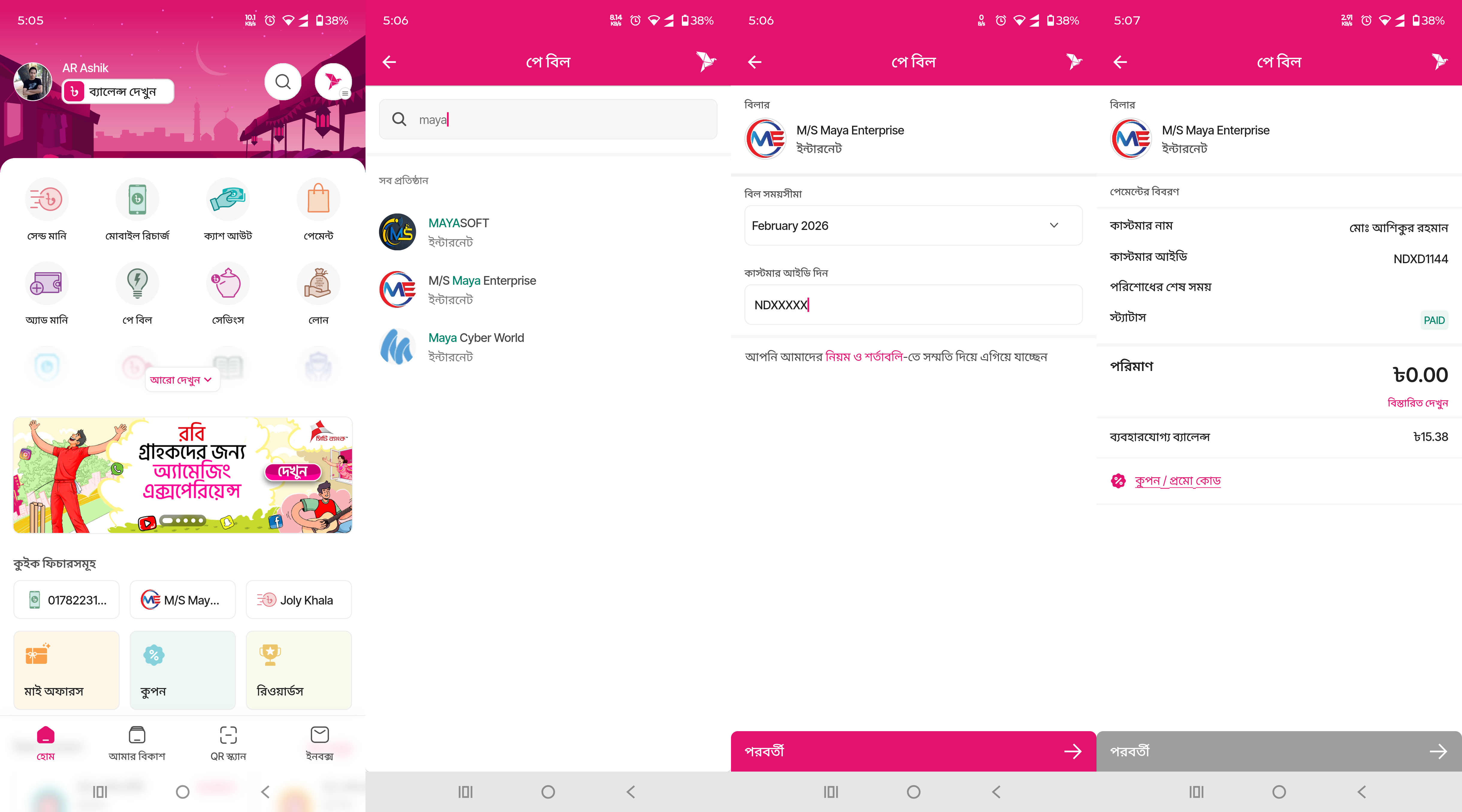
Login to your bkash account with your account's PIN number and tap on পে বিল option.
In "বিল পে" section, find and select M/S Maya Enterprise.
Select Month and enter your Customer Number in " বিল একাউন্ট নম্বর দিন".
(Optional) Check " ভবিষ্যৎ বিল পেমেন্টের জন্য একাউন্টটি সেভ করে রাখুন" to save account for faster future payments.
Tap" পে বিল করতে এগিয়ে যান " and long-press the Pay button for few seconds.
Maya Internet এর বিল পরিশোধ করুন Bkash Apps এর মাধ্যমে
Pay Bill through Nagad Apps
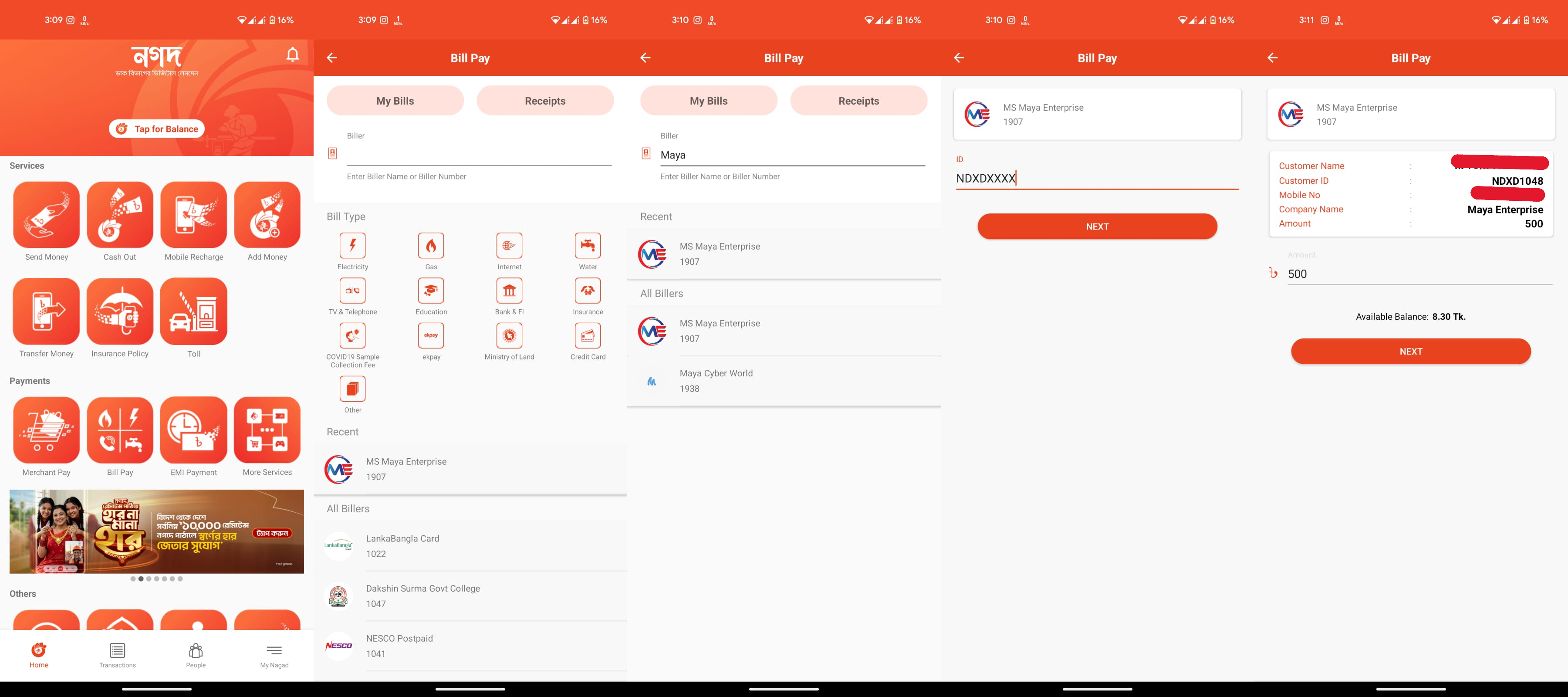
Login to your nagad account with your account's PIN number and tap on পে বিল option.
In "বিল পে" section, find and select M/S Maya Enterprise.
enter your Customer Number in " বিল একাউন্ট নম্বর দিন".
" বিল পেমেন্টের জন্য টাকার অংক বসান " Enter the amount for bill payment.
Tap" পে বিল করতে এগিয়ে যান " and long-press the Pay button for few seconds.
Maya Internet এর বিল পরিশোধ করুন Nagad Apps এর মাধ্যমে
Pay Bill through Bkash Manual System
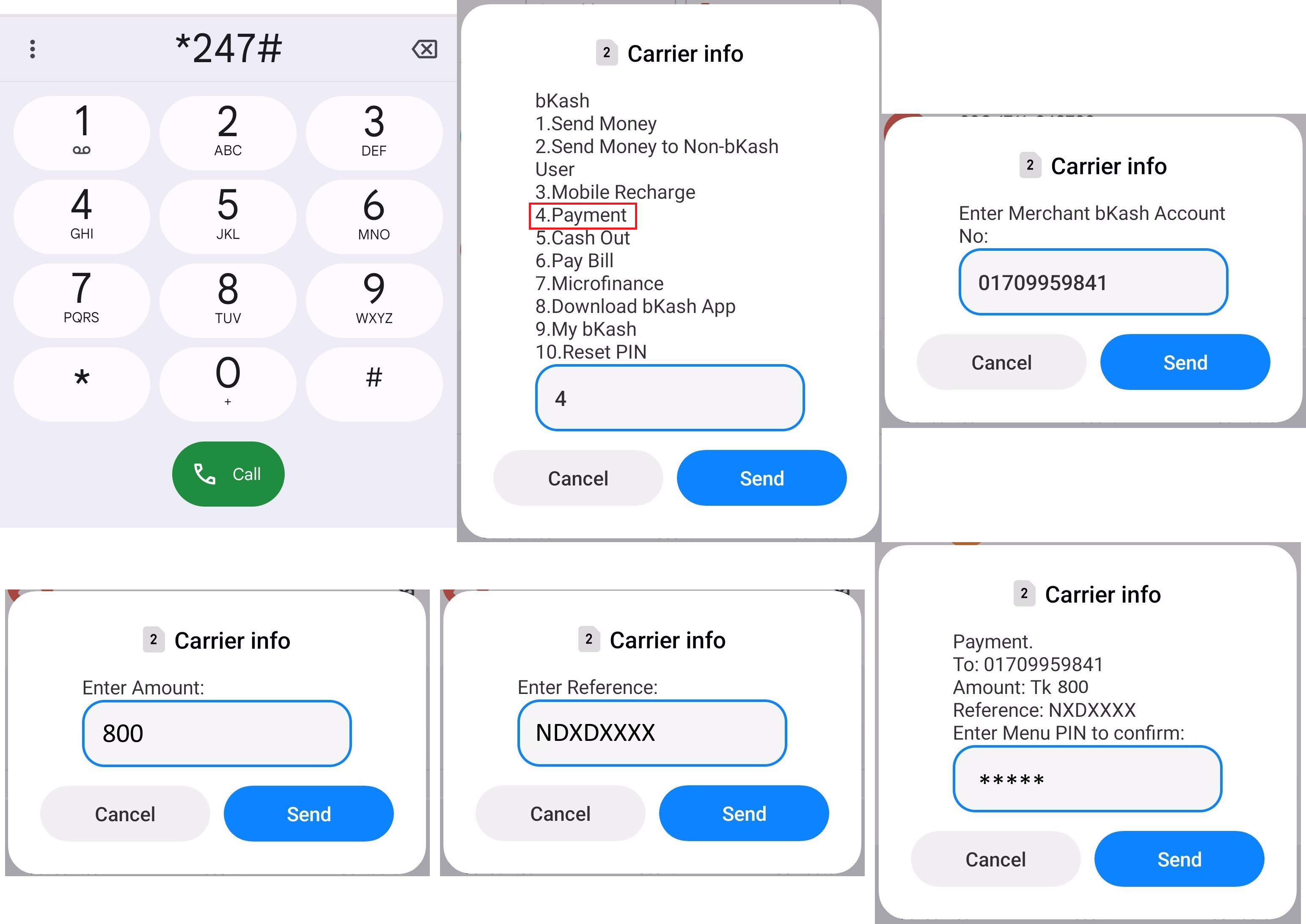
Type *247# to your bKash account and type on 4 পেমেন্ট option.
In পেমেন্ট option you'll type number 01709959841 and follow the next step.
Now type your bill অ্যামাঊন্ট box and follow the next step.
Now type your bill reference input your customer in বিল একাউন্ট নম্বর দিন box.
After that, tap the পে বিল করতে এগিয়ে যান button & hold the pay button for a few second. You're done!
Maya Internet এর বিল পরিশোধ করুন Bkash Manual System এর মাধ্যমে